Complete Guide to Indexing Backlinks on Google
Complete Guide to Indexing Backlinks on Google
For small to mid-sized business owners, marketers, solopreneurs, and digital agencies, the challenge of boosting website SEO often comes down to one critical question: how do you ensure your backlinks get indexed and stay indexed on Google? This comprehensive guide, based on insights from Chris Palmer’s step-by-step training, unpacks the process of indexing backlinks effectively using Google’s tools and APIs.
Whether you're managing your own SEO or helping clients, this tutorial will provide actionable strategies to ensure your links are crawled and indexed, unlocking better search visibility and long-term success.
Why Backlink Indexing Matters
Backlinks are a cornerstone of SEO strategy. They help establish authority, boost search rankings, and drive traffic to your site. However, even the most carefully curated backlinks can’t deliver results if they aren’t indexed by search engines like Google. Ensuring proper indexing is critical to maximizing the impact of your link-building efforts.
This guide outlines the systematic approach to indexing backlinks, including building the right technical setup, enabling Google's Indexing API, and implementing advanced techniques to optimize your results.
sbb-itb-0f47b19
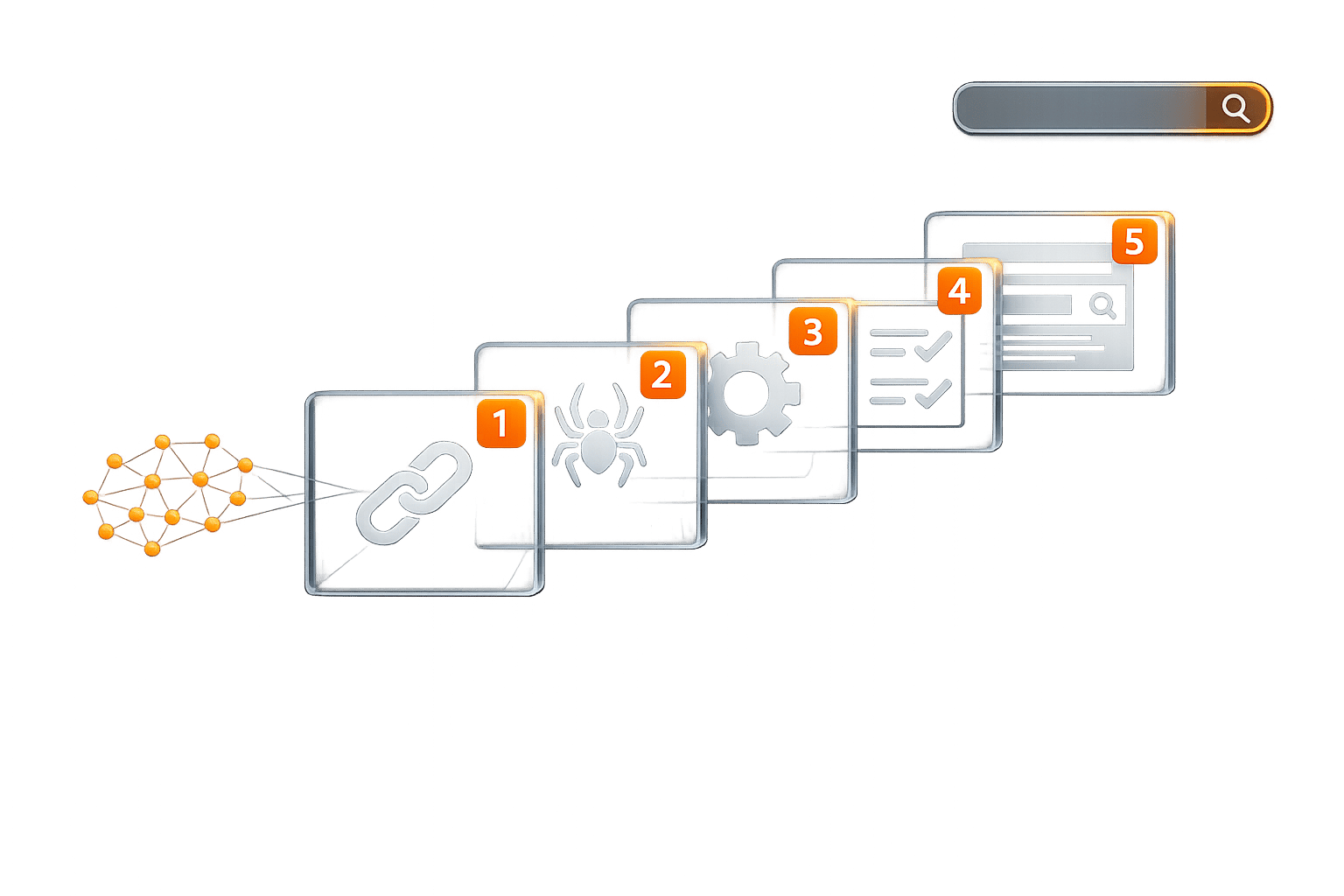
Step-by-Step Guide to Indexing Backlinks
Step 1: The Essential Tools You’ll Need
Before diving into the indexing process, it’s essential to set up the required tools and accounts. Here’s what you need:
- Google Search Console: Tracks your website’s performance and allows you to submit sitemaps.
- Google Developer Profile: Used to create service accounts for API access.
- Google Cloud Platform: Hosts the Indexing API and service accounts.
- Google Colaboratory (Colab): For running scripts tied to the API.
- YouTube Account: Utilized for creating video objects required for API functionality.
- Website with Schema Markup Support: You’ll need this to embed scripts and schema.
By setting up these tools, you’ll create the technical foundation to start indexing efficiently.
Step 2: Setting Up the Google Indexing API
The Indexing API is a powerful tool that lets you request Google to crawl and index specific URLs. Here’s a breakdown of how to activate and configure the API:
-
Log in to Google Cloud Platform:
- Navigate to the Google Cloud Console.
- Create a new project and enable the "Indexing API" under APIs & Services > Library.
-
Create a Service Account:
- Go to IAM & Admin > Service Accounts.
- Click "Create Service Account" and assign it a relevant name (e.g., "Indexing Account").
- Grant the account Owner permissions under the role dropdown.
-
Generate JSON Keys:
- Under the service account settings, create a new key in JSON format. This file will be used to authenticate your API requests later.
-
Enable the API:
- Go to the API dashboard and ensure that the Indexing API is active for your project.
Step 3: Integrating Your Service Account with Google Search Console
To utilize the Indexing API, you must link the service account to Google Search Console. Follow these steps:
- Copy the service account email from Google Cloud.
- Add this email as a new user in Search Console with Full Permissions.
- Designate the service account as an Owner under the property settings.
Step 4: Creating and Using Video Object Schema
One unique requirement of the Indexing API is the inclusion of specific schema types (e.g., VideoObject or BroadcastEvent). Chris Palmer’s tutorial emphasizes the importance of leveraging YouTube for this step:
-
Set Up a Scheduled Live Event:
- In your YouTube account, schedule a live event for a future date (e.g., one year from now). No need to create actual content - just schedule the placeholder.
- Copy the event’s video URL for use in your schema markup.
-
Implement the Schema:
- Add a VideoObject schema to your target page. The script should reference the video URL, upload date, duration, and thumbnail information.
- Embed the schema into the
<head>section of your webpage using a CMS or manual HTML editor.
By linking your schema to the YouTube event, you create a legitimate use case for the API while adhering to Google's guidelines.
Step 5: Adding Links to Target Pages
The next step is to compile the backlinks you want indexed and display them on a designated page:
- Create an orphan page or HTML sitemap where you list the URLs.
- Ensure that these links are live and do-follow to signal that they are trustworthy and should be crawled.
Step 6: Running the Indexing Script
With the schema, links, and API set up, it’s time to run the indexing process:
-
Use Google Colab:
- Open Google Colaboratory and upload the provided JSON key file.
- Copy and paste the API script (from the resource section) and modify it to include:
- The JSON key file path.
- The URL of the page containing your links.
- Run the script to submit the page to Google for indexing.
-
Monitor Results:
- Check Google Search Console to confirm that the URLs have been crawled and indexed.
- Troubleshoot any errors by reviewing the script or schema.
Step 7: Bonus Tips for Better Indexing
Here are some additional strategies to improve your indexing success:
-
Leverage Bing Webmaster Tools:
- Bing offers its own indexing API, which complements Google’s system. Sync your accounts for greater efficiency.
-
Use HTML Sitemaps:
- Create user-friendly sitemaps that display essential links. Even hidden links (e.g., links in accordions) can benefit from this setup.
-
Embed Links in YouTube Descriptions:
- Add your backlink URLs to the description and comments of your scheduled YouTube events. This not only boosts visibility but also helps keep the links indexed.
-
Optimize Video Metadata:
- Use keywords in your YouTube video titles and descriptions to enhance search relevance and organic visibility.
Key Takeaways
- Backlink indexing is essential for maximizing the SEO value of your efforts.
- Set up the Google Indexing API to directly request crawling of your URLs.
- Use VideoObject schema via YouTube live events to comply with Google’s API requirements.
- Create orphan pages or HTML sitemaps to list your backlinks for indexing.
- Run API scripts through Google Colab to automate submission.
- Leverage Bing indexing tools for a multi-platform advantage.
- Embed backlinks in YouTube metadata to improve visibility and retention.
- Maintain clean and accurate schemas to avoid errors during indexing.
Conclusion
Indexing backlinks on Google doesn’t have to be an uphill battle. By systemizing the process with tools like Google Search Console and the Indexing API, you can ensure your links are not only crawled but also remain indexed in the long term. For small business owners, marketers, and agencies, this approach offers a cost-effective and scalable solution to improve SEO performance and organic traffic.
With the steps outlined here, you’ll be better equipped to streamline your indexing efforts and drive meaningful results for your website. Take control of your backlinks today and watch your search presence grow.
Source: "Indexing SEO Backlinks On Google Methods How To Index Links" - Christopher Seth Palmer, YouTube, Dec 7, 2025 - https://www.youtube.com/watch?v=IPV4yb2oYD0