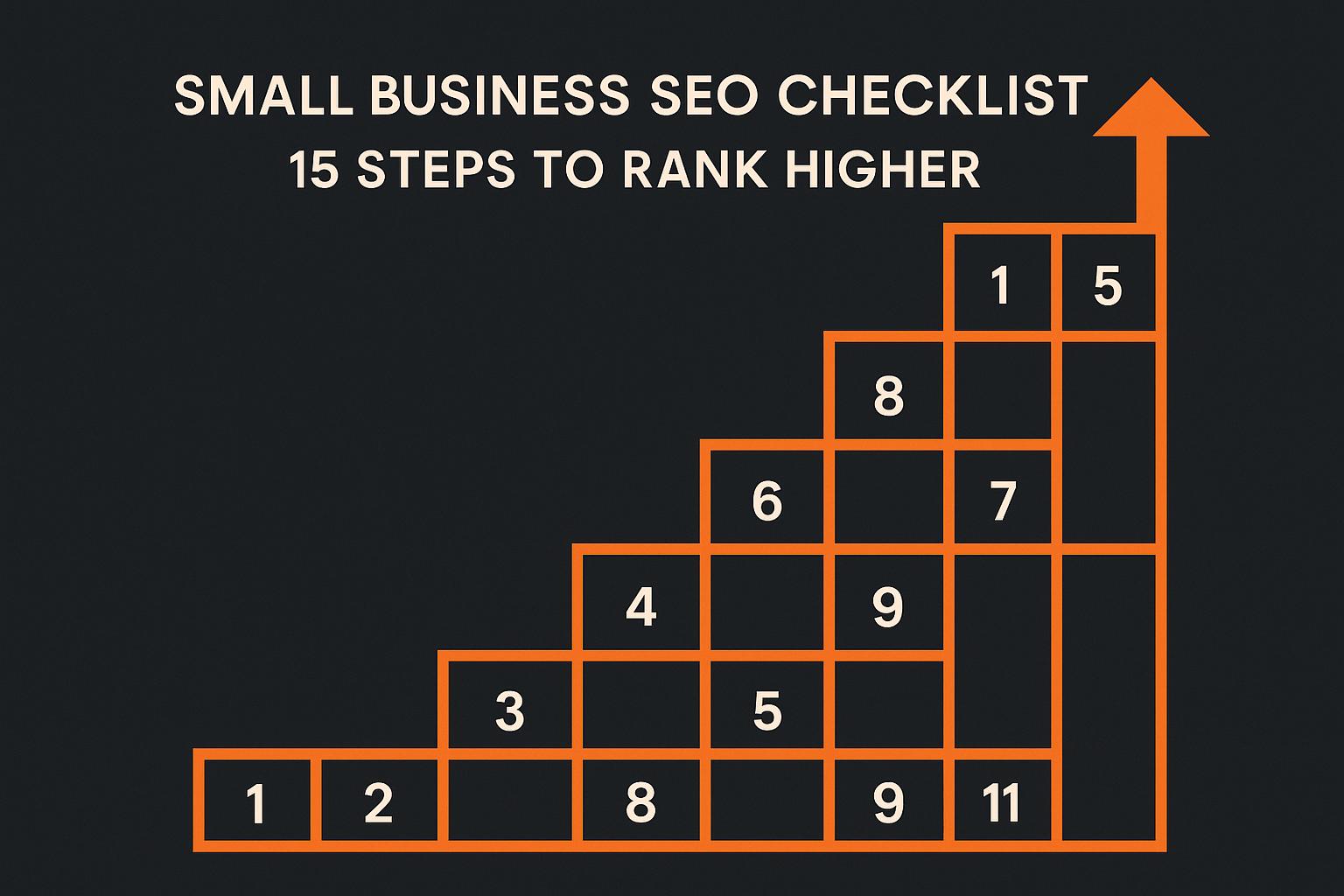
Small Business SEO Checklist: 15 Steps to Rank Higher
Small Business SEO Checklist: 15 Steps to Rank Higher
SEO is the key to helping your small business stand out online. With 81% of U.S. consumers researching online before buying and 60% of local searches happening on mobile, showing up in search results can mean the difference between gaining a customer or losing them to a competitor. The top search result captures nearly 28% of clicks, while almost no one ventures to Page 2. Yet, only 40% of small businesses have a website, and fewer have optimized their online presence.
This checklist breaks SEO into 15 actionable steps across five areas:
- Keyword Research: Find the exact terms your audience is searching for.
- On-Page Optimization: Create content that aligns with search intent.
- Technical SEO: Ensure your site is fast, mobile-friendly, and secure.
- Local SEO: Claim your Google Business Profile and manage reviews.
- Backlink Building: Use tools like Linkzy to grow your authority.
Start with the basics - optimize your site, target the right keywords, and claim your local listings. Then, focus on building trust with search engines and users by improving your content, earning backlinks, and monitoring results. SEO takes time, but the long-term benefits are worth the effort.
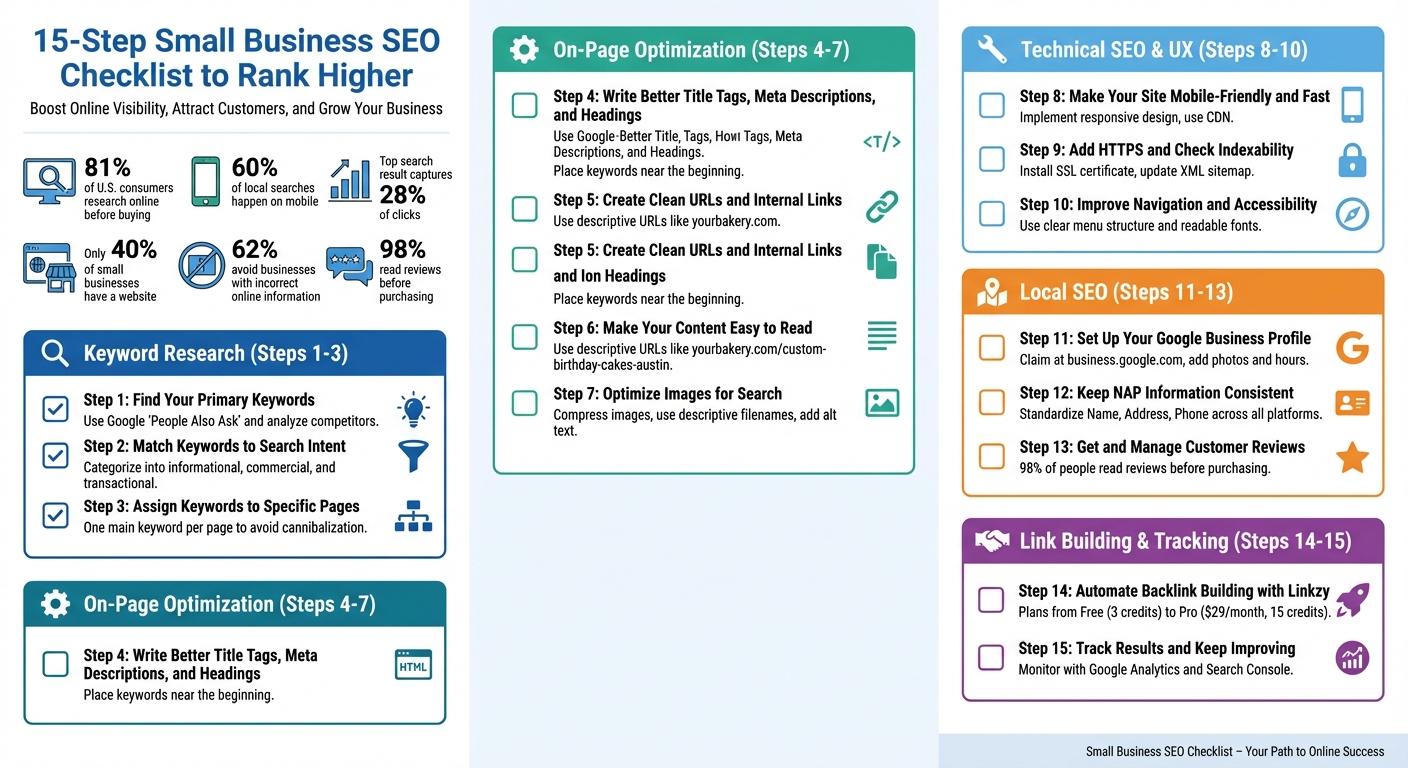
15-Step Small Business SEO Checklist for Higher Rankings
Local Businesses SEO Checklist✔️Small Business SEO For Beginners 2025
Steps 1-3: Start with Keyword Research
Keyword research lays the groundwork for your SEO plan. Without understanding what your target audience is searching for, your efforts can feel aimless. The mission here is straightforward: figure out the exact words and phrases people type into Google when they’re looking for what you offer.
Here’s how to pinpoint and use those keywords effectively.
Find Your Primary Keywords
Begin by listing your main services or products, then think about local search terms. For instance, if you’re a bakery owner in Austin, you might jot down terms like "custom birthday cakes", "gluten-free pastries", or "wedding cakes." Add location-specific details to zero in on nearby customers - like "custom birthday cakes in Austin" or "gluten-free pastries in South Congress." These localized keywords help you connect with people in your area who are ready to make a purchase.
To refine your list, use free tools and resources. Google’s "People Also Ask" section is a treasure trove of related questions that reveal what potential customers are curious about. Type in your service and explore these questions - they’re great clues about what your audience is searching for.
Next, analyze your top local competitors. What keywords are they using in their page titles, headings, and content? This can uncover successful terms and highlight gaps - services or topics they haven’t addressed yet, giving you an opportunity to stand out.
Match Keywords to Search Intent
Understanding the purpose behind a search is crucial because not all keywords serve the same role. Google’s algorithms reward content that aligns with what users are actually looking for, which directly influences both your rankings and conversions.
Group your keywords into three categories: informational, commercial, and transactional.
- Informational keywords address questions, like "how to choose a wedding cake" or "common plumbing problems." These attract visitors who may not need your services right now but could turn into customers later.
- Commercial keywords indicate someone is researching options, such as "best coffee shops in Brooklyn" or "plumber reviews in Austin."
- Transactional keywords show immediate intent to act, like "order birthday cake online" or "emergency plumbing services in Austin."
Search intent can vary depending on the keyword. For example, "plumber" might suggest someone is seeking general information, while "24-hour plumber near me" clearly signals urgency. Tailor your content to match the intent: blog posts for informational searches, service pages for transactional ones.
Once you’ve categorized your keywords, assign them to specific pages for better results.
Assign Keywords to Specific Pages
Each page on your site should focus on one main keyword. Targeting the same keyword across multiple pages creates competition within your own site - a problem known as keyword cannibalization, which can hurt your rankings.
"Each business theme is associated with one page on your site. Someone searching Google for that theme would be satisfied to land on that dedicated page." – Intergrowth[8]
Map your keywords to either existing pages or create new ones as needed. For example, your homepage might target a broad term like "Austin bakery", while individual service pages can focus on specific offerings like "custom wedding cakes Austin." Blog posts are ideal for informational keywords that complement your services.
To optimize each page, include the assigned keyword in the title tag, URL, headings, and image alt text. Naturally weave the keyword into the headline, the opening paragraph, and near the end of the content. You can emphasize it by bolding or linking to related content, but make sure it reads naturally and doesn’t feel forced.
Steps 4-7: Optimize Your Pages for Search Engines
To ensure your content ranks well, you need to fine-tune the elements search engines prioritize - like titles, descriptions, URLs, and images - while keeping your audience engaged. These optimizations make your pages more appealing to both search engines and users.
Write Better Title Tags, Meta Descriptions, and Headings
Your title tag is the clickable headline in search results and one of the strongest ranking signals. Keep it concise and place your primary keyword near the beginning. For example: "Custom Wedding Cakes Austin | Fresh Bakery Since 2015." This format balances keyword relevance with an engaging message.
Meta descriptions may not directly influence rankings, but they play a big role in click-through rates. Write a clear and enticing summary that includes your keyword to encourage users to click your link.
For headings, use a single H1 tag per page - typically your main headline - and organize the content with H2 and H3 tags. This hierarchy not only helps search engines understand your content but also makes it easier for readers to scan. Naturally incorporate keyword variations into your headings to maintain relevance.
Create Clean URLs and Internal Links
A clean URL structure is essential for clarity and SEO. Keep URLs simple and descriptive, avoiding filler words like "a", "the", or "and." For instance, use URLs like yourbakery.com/custom-birthday-cakes-austin that clearly outline the page’s content [4] [7].
If your business targets multiple locations, create separate pages for each area. For example: yourplumbing.com/dallas-emergency-plumber and yourplumbing.com/fort-worth-emergency-plumber. Ensure each location page has unique content to avoid duplicate content issues [6].
Internal linking connects your pages and helps distribute SEO value throughout your site. Link from well-performing pages to less visible ones using descriptive anchor text that includes relevant keywords. For example, if you’re discussing wedding planning tips, link to your "custom wedding cakes" page with anchor text like "order custom wedding cakes in Austin" instead of generic phrases like "click here." This approach not only helps search engines understand your site’s structure but also guides users to related content [4] [5].
Make Your Content Easy to Read
Search engines reward content that keeps readers engaged, and readability is key. Break text into short paragraphs - two to three sentences each - and use subheadings to create clear sections. Bullet points are great for lists, making information easy to digest.
Write conversationally, using everyday language. Avoid unnecessary jargon, but if technical terms are required, explain them clearly. This approach aligns with how people naturally speak and search, including voice search queries. When your content flows smoothly and answers questions effectively, visitors are more likely to stay on your page longer - an important signal to search engines.
Once your text is polished, don’t forget to optimize your visuals for better SEO performance.
Optimize Images for Search
Images can slow down your site if they’re not properly optimized, and page speed is a ranking factor. Use tools like TinyPNG to compress images, reducing file size without sacrificing quality [2]. Use JPG for photos and PNG for graphics with transparent backgrounds [2].
Name your image files descriptively and include relevant keywords. For instance, instead of "IMG_1234.jpg", use something like "chocolate-wedding-cake-austin.jpg" [2] [11].
Alt text is crucial for accessibility and SEO. Write a brief, descriptive phrase for each image that includes your keyword. For example: "three-tier chocolate wedding cake with fresh roses." Alt text helps screen readers describe the image to visually impaired users and provides context if the image doesn’t load [1] [9]. Placing images near related text on the page also helps search engines better understand their relevance [9].
Steps 8-10: Fix Technical SEO and User Experience
Technical SEO and user experience go hand in hand. A slow or poorly designed site can drive visitors away, and search engines take note of that. These steps focus on ensuring your website performs efficiently across all devices while meeting the technical requirements that Google emphasizes. Here's how to optimize performance, security, and usability.
Make Your Site Mobile-Friendly and Fast
With mobile-first indexing now standard, optimizing your site for smartphones is no longer optional. Google primarily evaluates your site's mobile version for ranking and indexing [12]. If your site isn’t mobile-friendly, you risk losing both rankings and visitors. A mobile-friendly site ensures a smooth, intuitive experience on smaller screens, reducing bounce rates and keeping users engaged [13].
Start by implementing responsive design so your site adapts seamlessly to any device. Use Google's Mobile-Friendly Test to identify and fix issues like small font sizes or buttons placed too closely together. Speed is equally important - compress images, streamline your code, and use a Content Delivery Network (CDN) to enhance loading times. Faster websites not only rank better but also tend to convert more visitors into customers.
Add HTTPS and Check Indexability
Securing your website with HTTPS is critical for both user trust and search engine rankings. Install an SSL certificate and set up redirects from HTTP to HTTPS [14]. Update your XML sitemap and robots.txt file to reflect these changes, and create a new Google Search Console profile to monitor the migration process.
Ensure that search engines can easily find and rank your pages. Use canonical tags to indicate the preferred version of a page, helping to avoid duplicate content issues [14]. Address any HTTP errors that could block crawlers, submit an updated XML sitemap, and double-check your robots.txt file to ensure essential pages aren’t accidentally blocked from indexing.
Improve Navigation and Accessibility
A clear navigation structure benefits both users and search engines by making your site easier to explore [9]. Organize your menu logically, grouping similar pages together, and use descriptive labels instead of generic terms. For instance, a plumbing company might organize its menu with categories like "Emergency Repairs", "Drain Cleaning", and "Water Heater Installation" [10].
Make sure your contact information is prominently displayed, and use fonts that are easy to read with sufficient contrast between text and background. This not only enhances accessibility but also improves the overall user experience. A well-organized site with intuitive navigation encourages visitors to stay longer, increasing the likelihood of conversions [15]. These technical improvements work in tandem with your on-page and local SEO strategies to create a seamless experience for users across your site.
sbb-itb-0f47b19
Steps 11-13: Improve Local SEO for U.S. Businesses
Local SEO plays a crucial role in helping small businesses connect with customers in their area. Whether you run a cozy coffee shop in Portland or a dental clinic in Atlanta, focusing on local SEO ensures your business pops up when nearby customers are ready to make a purchase. Local search results favor businesses that show relevance, proximity, and trustworthiness. These next steps are designed to help you excel in all three.
Set Up Your Google Business Profile
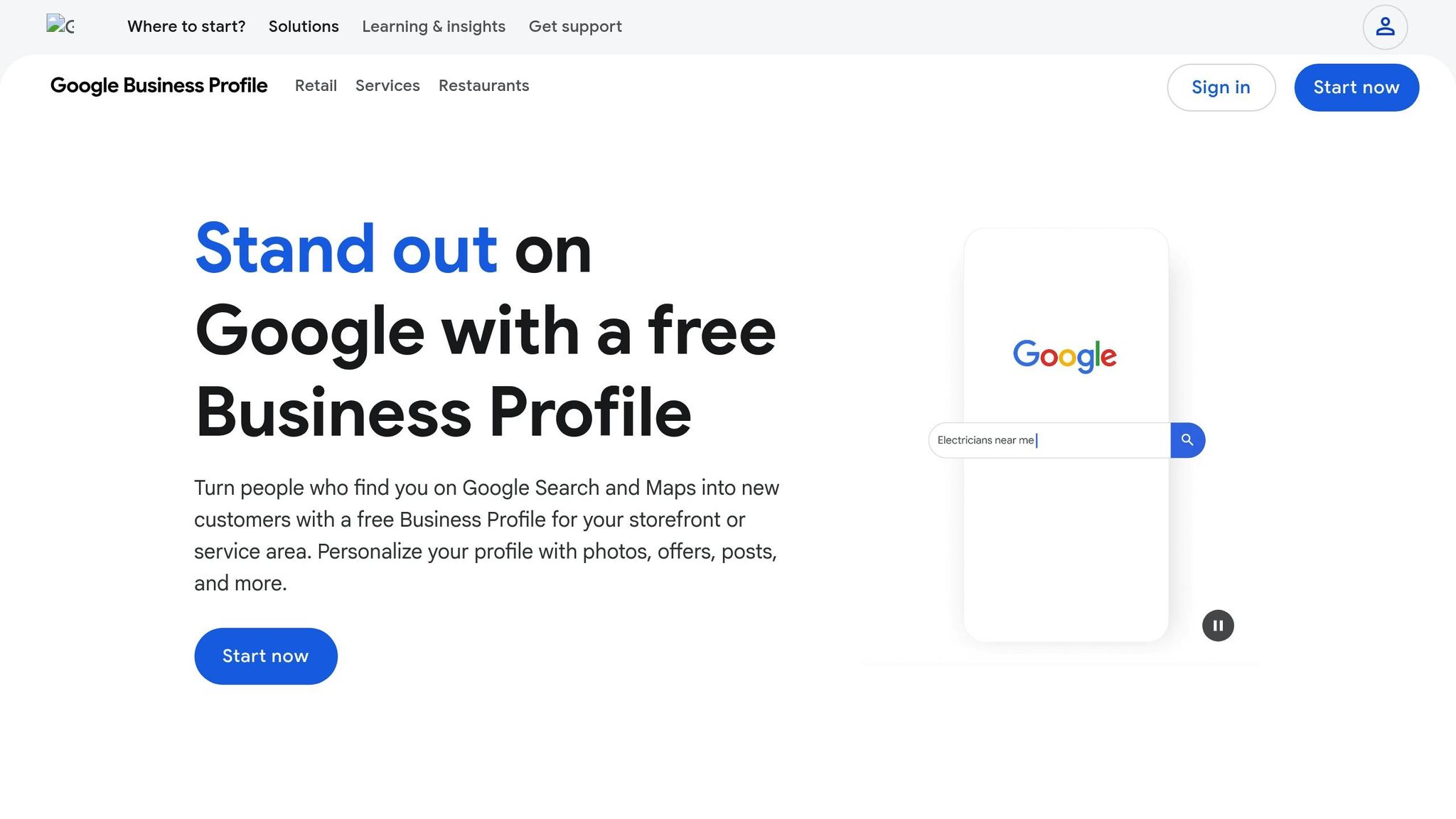
Your Google Business Profile (GBP) is like your digital storefront - it’s the backbone of local search visibility [6][5][16]. This free tool directly impacts how easily customers can find and engage with your business, often translating into more foot traffic and inquiries [16].
Start by claiming your GBP at business.google.com and filling out every section with precision. Use your exact business name as it appears on your signage, include your full U.S. address (don’t forget suite numbers, if applicable), and list your local phone number. Choose the most accurate business categories - your primary category has the most influence, so pick wisely. Upload high-quality photos of your location, products, and team to make your profile visually appealing. Keep your business hours up-to-date, including special hours for holidays. Make it a habit to refresh your GBP regularly with new photos and any changes to your hours or services.
Keep NAP Information Consistent
NAP stands for Name, Address, and Phone Number, and consistency here is non-negotiable. Search engines rely on this data to verify your business location, so even small discrepancies - like using "St." in one listing and "Street" in another - can confuse algorithms and hurt your rankings [7][4][5]. The stakes are high: 62% of customers say they’d avoid a business if they found incorrect information online [4].
To build trust with search engines and potential customers, standardize your NAP details across your website footer, GBP, social accounts, and all online directories. Conduct regular audits to spot and fix outdated information, such as old addresses or disconnected phone numbers. Any changes to your NAP should be updated across all platforms immediately [7][4][5][17].
Once you’ve nailed down consistent NAP information, it’s time to focus on earning customer reviews.
Get and Manage Customer Reviews
Customer reviews are a game-changer for both search rankings and buyer decisions. In fact, 98% of people read reviews before making a purchase [18]. Positive reviews not only improve your local search visibility but also encourage more clicks to your business, while unresolved negative reviews can harm your reputation and rankings [18].
Encourage satisfied customers to leave reviews by sending them a direct link to your GBP via email or text. Train your staff to ask for reviews at checkout or after providing a service. Be sure to respond to all reviews - thank customers for positive feedback and address negative reviews professionally, offering to resolve issues offline when possible. Keep an eye on reviews across platforms like Google and Yelp, but prioritize Google reviews, as they carry the most weight for local SEO.
Step 14: Automate Backlink Building with Linkzy
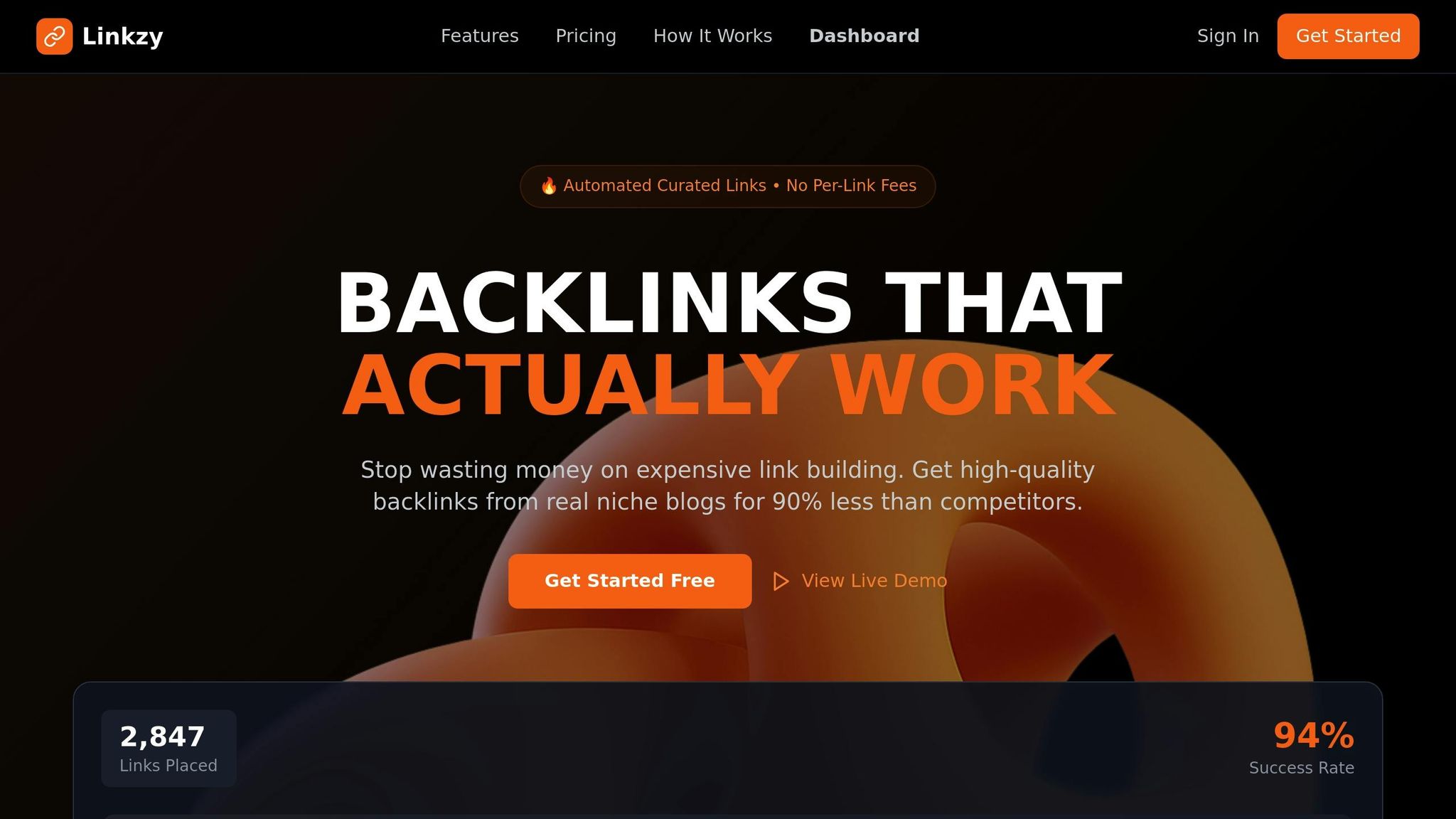
Backlinks are still one of the most influential factors in search engine rankings, but acquiring them manually can be a slow and expensive process. That’s where Linkzy comes in. This tool simplifies backlink building by automatically placing high-quality, niche-specific backlinks on real websites that align with your business. The links are added gradually to keep your link profile looking natural, perfectly complementing your on-page and technical SEO efforts to improve your rankings.
How Linkzy Simplifies Backlink Building
Linkzy takes care of the entire outreach and placement process for you - no manual work required. This means you can focus on other areas of your business while the platform builds a solid backlink portfolio to enhance your domain authority.
Choose the Best Linkzy Plan for Your Needs
Linkzy offers flexible plans to fit different business sizes and goals:
- Free Plan: Get 3 credits to try out the service at no cost - ideal for testing the waters.
- Starter Plan: For $19/month, you’ll receive 5 credits each month, making it a great option for small businesses just starting with SEO.
- Pro Plan: At $29/month, this plan provides 15 credits per month and priority support, perfect for businesses aiming to grow link equity across multiple pages.
Each credit equals one high-quality backlink placement, so you can scale your strategy based on your needs and budget.
Get Started and Track Your Progress
Getting started is quick and easy. After selecting a plan and defining your niche, integrate Linkzy with WordPress or via API. From there, you can use the intuitive dashboard to monitor your backlink placements and track their performance in real time. Adjust your strategy as needed and watch your backlink profile strengthen over time.
Step 15: Track Results and Keep Improving
To ensure the strategies from Steps 1-14 continue delivering value, consistent tracking and updates are essential. By measuring performance, you can pinpoint what’s working and adjust where needed. Tools like Google Analytics and Google Search Console offer everything you need to make informed, data-driven decisions.
Monitor Organic Traffic and Conversions
Keep an eye on your organic traffic and conversions using GA4 and Google Search Console. These tools help you identify your top-performing pages, understand visitor behavior, and analyze which keywords are driving results [4]. To track success, set up conversion tracking in Google Analytics to measure actions like sign-ups, phone calls, form submissions, or purchases originating from organic search.
"Conversions from organic traffic show the number of users completing desired actions (signups, downloads, purchases, etc.) after finding you in search. This is where SEO translates directly into business outcomes" [19].
If traffic is flowing but conversions are lagging, it’s time to refine your landing pages and calls-to-action. Once your performance metrics are in place, regularly assess your site’s health through audits to keep everything running smoothly.
Run Regular SEO Audits
Over time, technical issues can creep in, potentially harming your site’s performance. Conduct monthly or quarterly audits to catch and resolve problems early. Use Google Search Console's Page Indexing Report to ensure your key pages remain indexed, and review Core Web Vitals to confirm your site loads quickly and delivers a seamless user experience [8].
During these audits, look for broken links, verify proper redirects for all domain variants, and update outdated content. Prioritize impactful fixes, such as resolving critical technical issues and refreshing high-performing content. These efforts can significantly improve your ROI [8].
Track Backlink and Keyword Performance
Building on your Linkzy placements, keep tabs on your backlink profile and keyword rankings. Linkzy’s dashboard lets you monitor new backlinks and evaluate their impact on your domain authority. For keyword performance, Google Search Console provides insights into which terms are gaining traction or losing momentum. Use this data to optimize existing content or identify opportunities to create new, targeted pages [4].
Conclusion: Start Ranking Higher Today
This guide lays out a clear path to help your business climb the search rankings. From keyword research and on-page optimization to local SEO tactics and automated backlink building with Linkzy, each step plays a role in boosting your organic visibility.
SEO isn’t a one-and-done task - it’s a continuous effort where small, consistent actions lead to long-term results. As SocialNicole explains:
"Unlike paid ads, which stop the moment your budget runs out, organic visibility compounds over time. Good SEO improves your site's discoverability, usability, and conversion rate." [3]
Start by tackling the essentials: fix technical issues, optimize important pages, and claim your Google Business Profile. Then, layer in strategies like creating high-quality content, using tools for automated backlink building, and regularly tracking your performance. Focus on the most impactful tactics, implementing them step by step.
Patience is key when it comes to organic rankings [21]. Results take time, but the progress you make will be worth it. Dedicate time each month to review your analytics, perform SEO audits, and tweak your strategy based on what’s working. As the digital world evolves, be ready to adjust your approach to stay ahead [20].
FAQs
How can I use keyword research to boost my small business's SEO?
To boost your small business's SEO, start by digging into low-competition keywords that match what your audience is searching for. Tools like Google Keyword Planner can help you spot phrases your potential customers are typing in - especially long-tail keywords, which are more specific and often easier to rank for.
Once you've got your keywords, weave them naturally into your website's titles, meta descriptions, headers, and content. This helps search engines understand what your site is about and makes it more likely to show up in relevant searches. If your business operates in a specific area, don’t forget to focus on local SEO by adding location-based keywords throughout your site.
Finally, take a good look at your competitors. See what keywords they’re targeting and look for gaps in their strategy that you can capitalize on. Adjust your approach as needed to stay ahead in the rankings.
What key elements should I focus on for effective on-page SEO?
To fine-tune your on-page SEO, focus on integrating relevant keywords into your titles, meta descriptions, headers, and throughout your content. Don’t overlook images - use descriptive alt text to help search engines understand them better. Keep your URLs clean and straightforward for improved readability. Incorporate schema markup to give search engines a clearer picture of your content, and use internal links to connect related pages on your site, enhancing navigation and engagement. For local SEO, ensure your NAP (Name, Address, Phone Number) details remain consistent across all online directories and platforms.
How can Linkzy help my small business build backlinks?
Linkzy supports small businesses in strengthening their online presence by securing backlinks from relevant local directories, community blogs, and trusted local news sites. These backlinks play a crucial role in boosting your website's authority and improving its position in search engine results.
By targeting local and industry-specific platforms, Linkzy ensures your business stands out in competitive markets, helping you attract more organic traffic and reach the audience that matters most.